View and filter transactions
See all your transactions in one list and filter by type or date.
Last updated: July 12, 2026
All of your transactions — card payments, deposits, and more — appear under Transactions in the app.
Steps
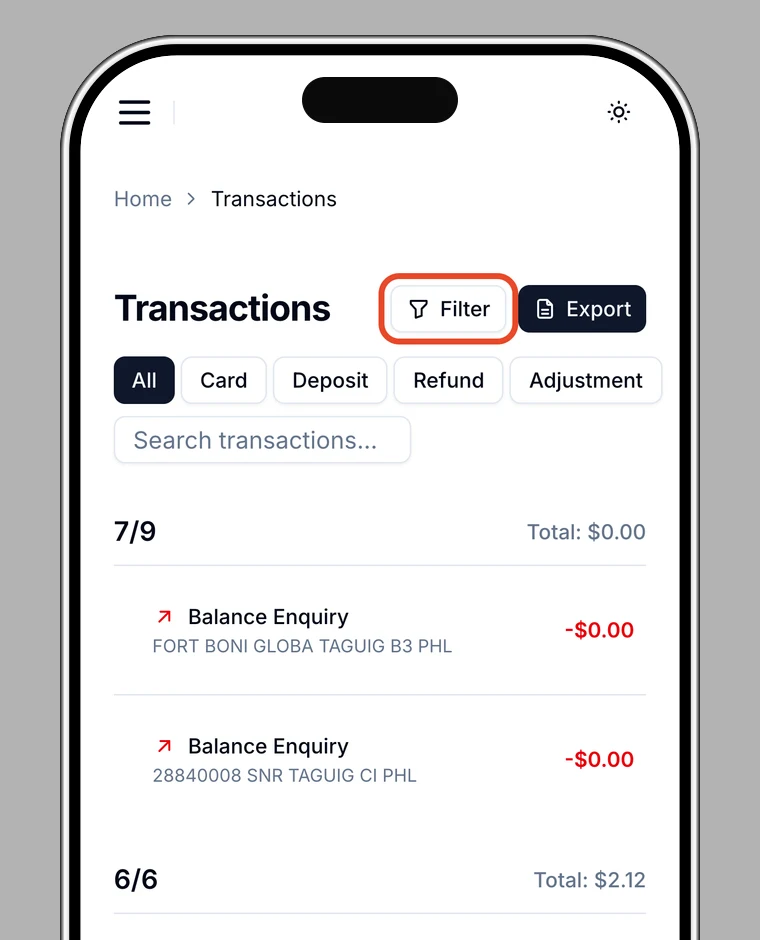
1. Open your transactions
Open Transactions in the app.
2. Filter and search
Filter by type (All / Card / Deposit / Refund / Adjustment). You can also search by keyword.
3. Open the details
Tap any transaction to see its details, such as merchant, date and time, status, category, and currency.
Tip
On the web app (in a browser), you can also filter by date range and sort by column.