Suspend (lock) or reactivate a card
Suspend a card if it's lost, and reactivate it when needed.
Last updated: July 12, 2026
If your card is lost or stolen, or you suspect fraud, you can suspend (lock) it. You can reactivate it later.
Suspend a card
1. Open the card
In the app, open Card and select the card.
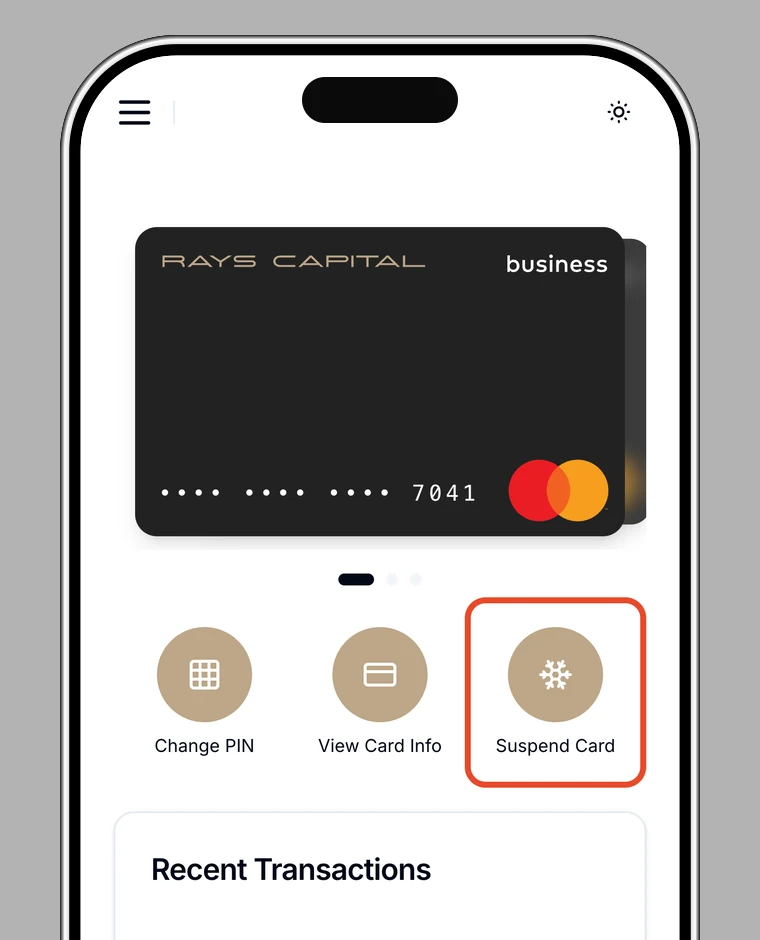
2. Choose "Suspend card"
Choose Suspend card and confirm on the confirmation screen. Once suspended, the card can't be used for transactions.
Reactivate a card
To use a suspended card again, open it from the Card screen and choose Reactivate card.
Note
While suspended, card details can't be shown either.