View card details (number, expiry, CVV)
View your card number, expiry, and security code after step-up authentication.
Last updated: July 12, 2026
For security, your card number, expiry, and security code (CVV) are shown only after additional authentication.
Steps
1. Open the card
In the app, open Card, select the card, and open View card info.
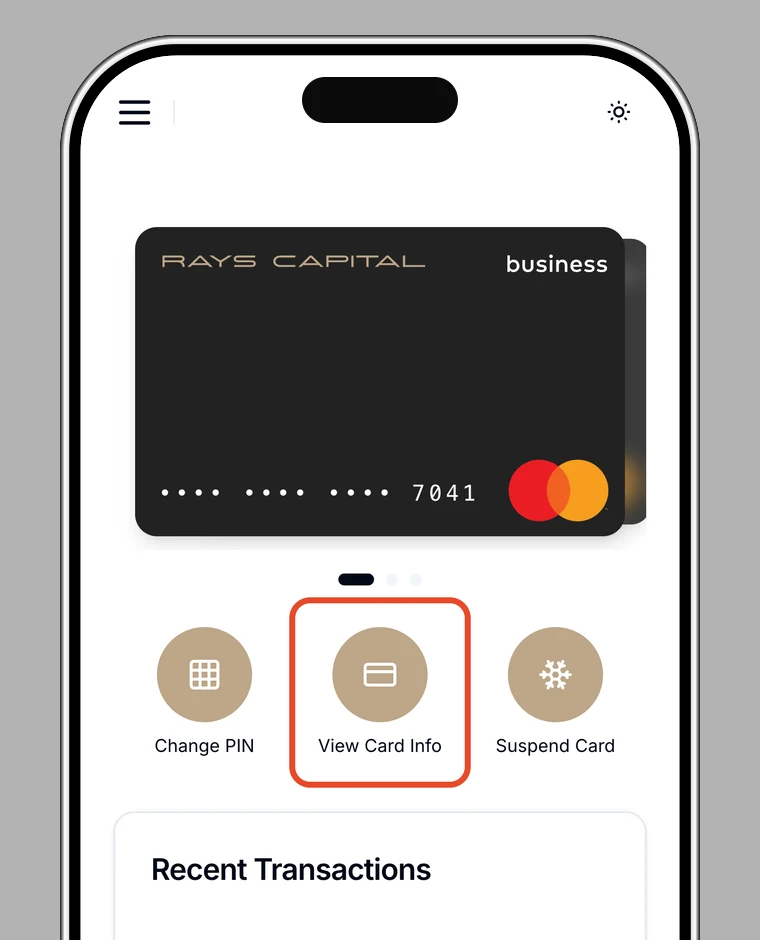
2. Authenticate
For security, confirm your identity with biometrics, your password, or two-factor authentication.
3. View the details
After authentication, your card number, expiry, and security code are shown. You can copy each value.
Note
If the card is suspended or blocked, card details can't be shown.