Edit your profile (name and address)
Edit your basic info, residential address, and billing address.
Last updated: July 12, 2026
You can edit your basic info (such as your name) and your residential and billing addresses in the app.
Steps
1. Open Settings
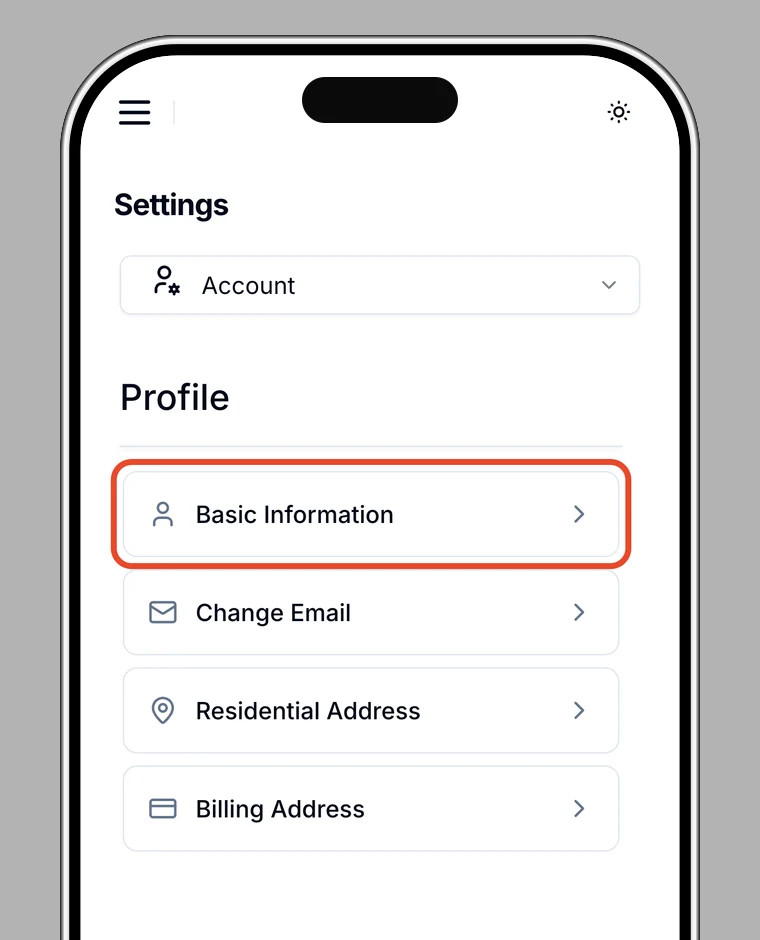
Open Settings in the app and go to Profile.
2. Choose what to edit
- Edit profile: basic info such as your name
- Residential address: where you live
- Billing address: your billing address
3. Save
Enter your details and save. You'll see Profile updated.
Note
Your billing address is also used as a delivery option when you buy a card.