Reset your password
Reset your password from an emailed link if you've forgotten it.
Last updated: July 12, 2026
If you've forgotten your password and can't log in, you can reset it from an emailed link. If you're logged in and just want to change it, see Change your password.
Steps
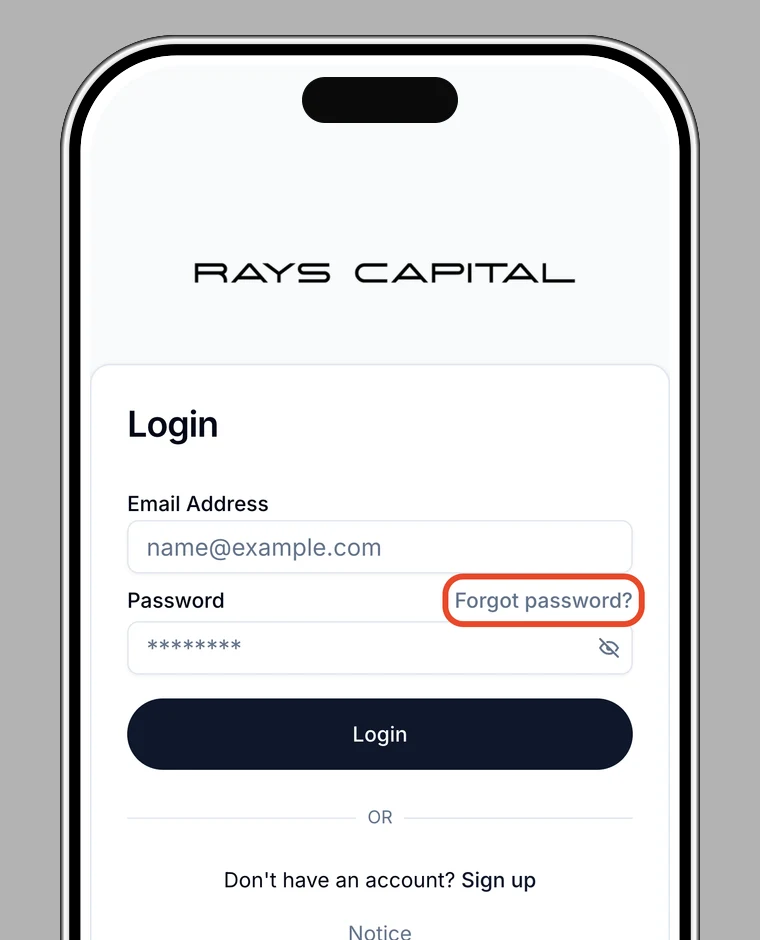
1. Open "Forgot password?"
On the login screen, tap Forgot password?.
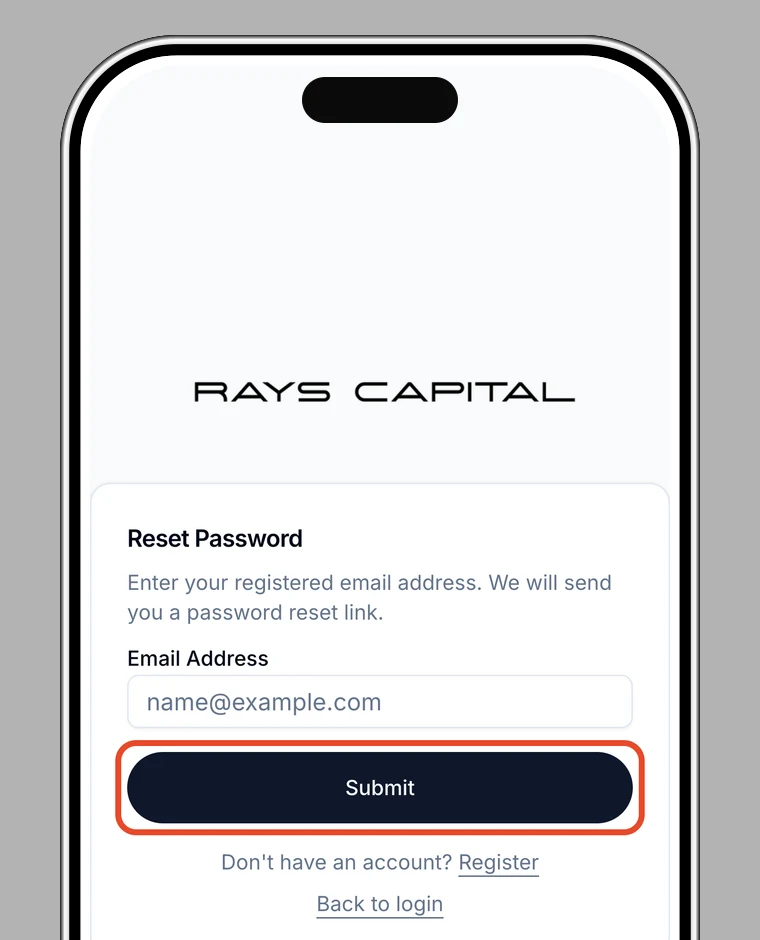
2. Enter your email address
Enter your registered email address. We'll email you the password reset instructions.
3. Open the link in the email
Open the link in the email you receive.
4. Set a new password
Enter a new password to set it. When you see Password reset successfully, you're done.
Note
The link expires after a while. If it has expired, start the process again.