Check your deposit history
Check the status of your deposits and their on-chain details.
Last updated: July 12, 2026
You can check your deposit history and status in the app.
Steps
1. Open your transactions
Open Transactions in the app. You can also see them under Recent deposits on Home.
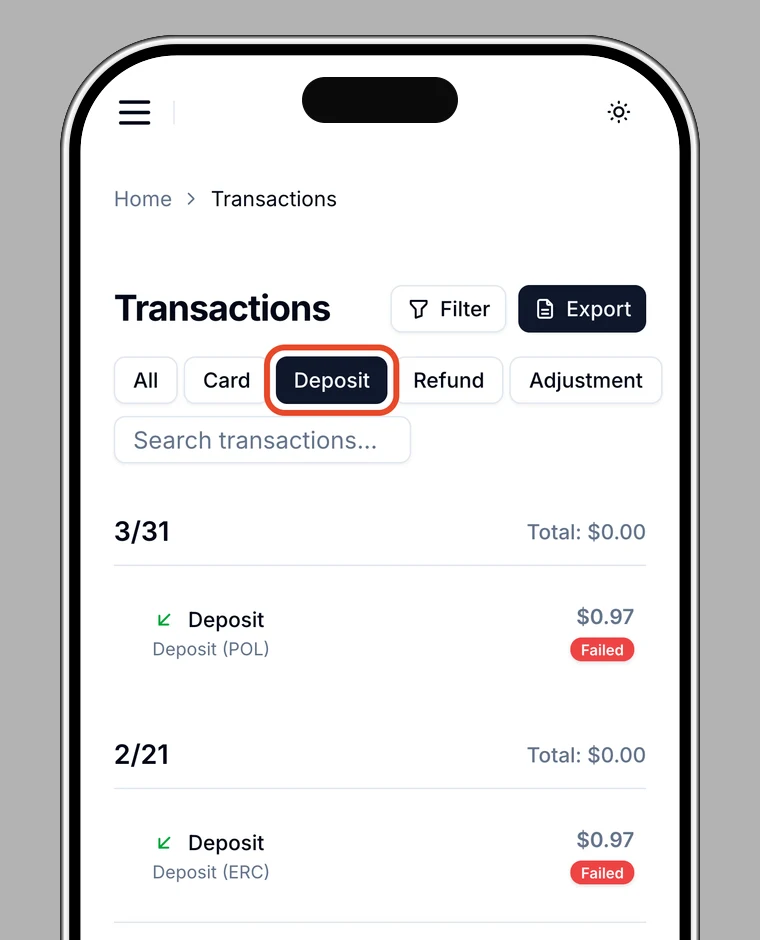
2. Filter by deposits
Choose Deposit in the type filter to show deposits only.
3. Check the details
Tap a deposit to see the amount, currency, and status (In progress / Completed / Failed). For crypto deposits, you can also see the blockchain, transaction hash, sender wallet, and block number.