Set or change your PIN
Set or change the 4-digit PIN used for ATM withdrawals and card payments.
Last updated: July 12, 2026
Your card PIN (4 digits) is needed for ATM withdrawals and card payments. You can set or change it in the app.
Steps
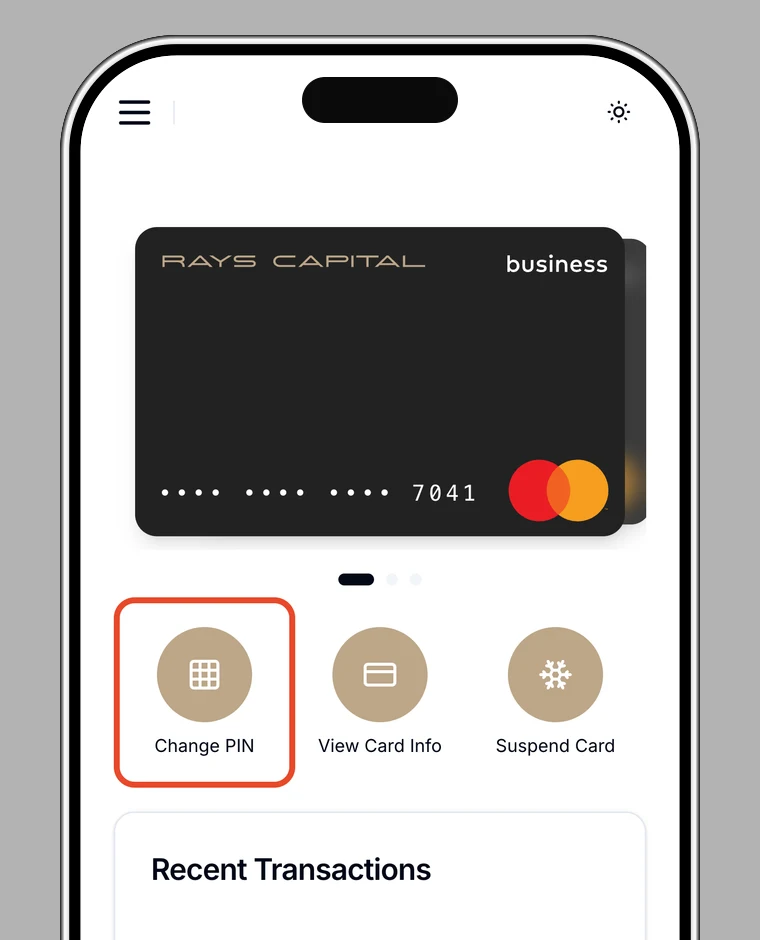
1. Open the card
In the app, open Card, select the card, and choose Change PIN.
2. Authenticate
For security, confirm your identity with biometrics, your password, or two-factor authentication.
3. Enter a new PIN
Enter a new 4-digit PIN, then enter it again to confirm.
4. Done
When you see PIN set successfully, you're done.
Note
The PIN is a 4-digit number needed for ATM withdrawals and card payments. Never share it with anyone.